


Nibble: Daily Learning & Quiz
4.41.16K Reviews
App Specs
- Version
- 1.8.6
- Updated On
- License
- Free
- Downloads
- 1,000,000+
- Developer
- KREMITAL LIMITED
- Categories
- Education
- Platform
- Android
Screenshots
 Analysis by AppCompare
On a shared phone or tablet, a short learning session can easily turn into a group activity: one person reads a quick piece, another tries the quiz, and someone else asks where the fact came from. I like that kind of casual curiosity, but it helps to treat Nibble: Your Bite of Knowledge as an individual learning app rather than a household account or a shared family library. It is designed around compact lessons and quizzes, so it can fit a spare moment without needing everyone at home to commit to a course together.
A quick session that works around real life
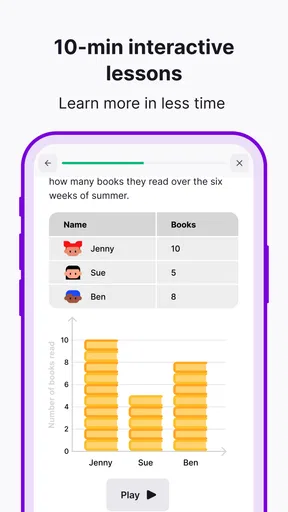
A realistic use for me would be opening Nibble while waiting for a meal to finish or during a quiet stretch between errands. Instead of choosing a long video or searching through a broad encyclopedia, I can spend a few minutes with one subject and then try a quiz while the material is fresh. That makes the app easier to approach when I want a small learning break, not a major study session.
The short format also gives a household a simple way to trade ideas without turning learning into an obligation. One person can mention an interesting point at dinner, and another can explore the topic later. I would not expect a shared device to preserve separate interests or progress automatically, though, so I would keep each person’s use clearly separate where possible and avoid treating another person’s activity as my own learning record.
Set expectations before passing the device around
When several people use one device, the useful question is not only what the app teaches, but whose preferences and activity are being represented. I would decide in advance whether the device is primarily for one learner or whether family members will take turns. If it is shared, a quick handoff routine—finishing a lesson, leaving the screen in a neutral place, and saying whose turn it is—can prevent confusion without assuming the app has household profiles or parental settings.
That boundary matters because personalized learning works best when the choices reflect the person reading. A child’s curiosity about animals and an adult’s interest in history may lead to very different sessions. On a shared device, it is worth checking that the next reader has not simply continued from someone else’s interests or left a quiz unfinished. The practical tip is modest but useful: treat each session as belonging to the person holding the device, rather than assuming a common feed will suit everyone.
Make a small routine instead of chasing a streak
Nibble’s lesson-and-quiz approach is better suited to a flexible habit than to a rigid household timetable. I would use a natural pause—breakfast cleanup, a commute when not driving, or a few minutes before bed—as a cue to open a lesson. Then I would stop when the short session is done instead of turning a quick activity into another screen-time target. That keeps the app’s compact format working in its favor.
For a family or housemates, coordination can be as simple as recommending a topic rather than sharing one account or promising to complete lessons together. Someone might say, “Try a science lesson when you have a moment,” and let the other person choose when to do it. This avoids an awkward expectation that everyone will have the same interests, schedule, or appetite for quizzes. It also makes the app easier to enjoy independently, which is where short educational sessions tend to fit best.
Worth Reading Before You Choose

EA SPORTS FC Mobile 26 Is a Bigger Football Game, but It Takes Time

Flipboard Shows What News Apps Must Do Beyond the Feed

Switching to Android Auto Means Rethinking Your Driving Routine

Google Calendar Makes a Crowded Week Easier to Manage

Ludo King Makes the Most of the Minutes Between Plans

Baby Panda World Brings Quick Play to Modern Phones, but Its Game Library Feels Busy
Age context and trust
The app is rated Everyone, which makes it broadly approachable as an education app, but an age label is not a substitute for an adult’s judgment about how a particular child uses a device. I would still consider attention span, reading comfort, and the family’s normal rules for apps. A younger learner may enjoy answering questions with an adult nearby, while an older student may prefer to explore topics alone. The best fit depends on the person, not just the rating.
I would also keep expectations grounded: a bite-sized lesson can introduce an idea and make it memorable, but it is not the same as a textbook, a teacher’s explanation, or a carefully structured course. If a child needs help with a school assignment, I would use Nibble as a spark for further questions, then check important details with a trusted learning source. For casual discovery, that limitation is reasonable; for formal study, it matters.
Who gets the most from it—and who may not
I think the strongest audience is someone who is curious but struggles to make room for long-form learning. The format can make a spare moment feel more purposeful, and the quiz gives the reader a way to check what stuck rather than merely skim. It may also suit adults who want to explore different subjects without choosing a single course to follow from start to finish.
On the other hand, I would skip it as a primary study tool if I needed detailed explanations, a syllabus, citations for research, or a clear progression through a subject. People who prefer books, lectures, or long-form articles may find the short sessions too compressed. And anyone who dislikes quizzes should consider whether the interactive format feels motivating or like an unnecessary test. The app is most convincing as a light learning companion, not a replacement for deeper study.
How it differs from familiar learning options
Compared with searching the web for a fact, a curated short lesson can reduce the effort of deciding what to read next. Compared with a video, text-based learning can be easier to fit into a quiet waiting room or a moment when sound would be inconvenient. And compared with a full online course, a brief lesson asks for less commitment but naturally offers less depth and structure. Those are trade-offs, not flaws: the right choice depends on whether I want a quick introduction or a substantial understanding.
A useful way to get more from each session is to pause after the quiz and put the idea into my own words. If I cannot explain it without looking back, I can revisit the material or follow up elsewhere. I would also use bookmarks selectively, saving only topics I genuinely want to return to; a large pile of saved reads can become another neglected list. These small habits make a short-format app more useful without pretending that short lessons alone guarantee lasting knowledge.
Getting Started with Nibble
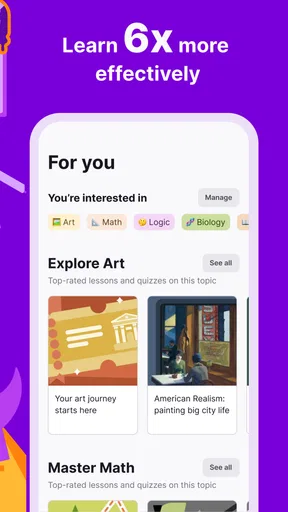
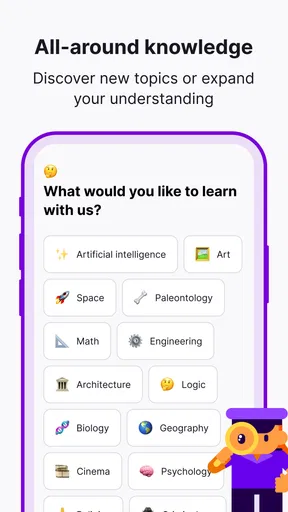
When you first open Nibble: Your Bite of Knowledge, you're greeted with a sleek and intuitive interface. It’s clear that the developers put a lot of thought into the user experience, making it easy to navigate from the get-go. You can start by selecting your interests, which range from science and history to quirky facts and trivia. It’s like setting up your personalized buffet of knowledge!
The app then starts feeding you bite-sized articles tailored to your preferences. Each piece is concise yet informative, perfect for a quick read while you’re waiting for your coffee or standing in line at the grocery store. You can also bookmark articles that tickle your fancy or share them with your friends who love random trivia as much as you do.
Features That Stand Out
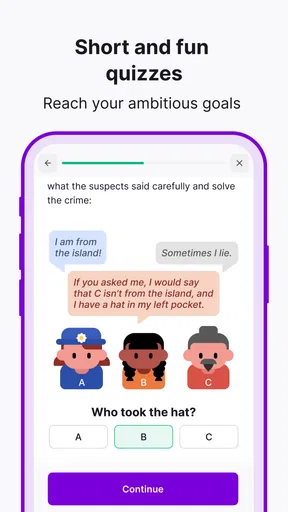
One of the coolest features of Nibble is the "Daily Digest," which compiles a handful of the best reads into a neat package for you. It’s like getting a mini-magazine delivered to your phone every morning. The app also encourages a bit of friendly competition with its built-in quizzes. After reading a few articles, you can test yourself to see how much you've retained. Trust me, it’s more fun than it sounds!
Another neat aspect is the community feature. You can engage with other users, discuss articles, and even suggest topics for future content. It’s a vibrant space for exchanging ideas and learning collaboratively.
Why You’ll Love Nibble
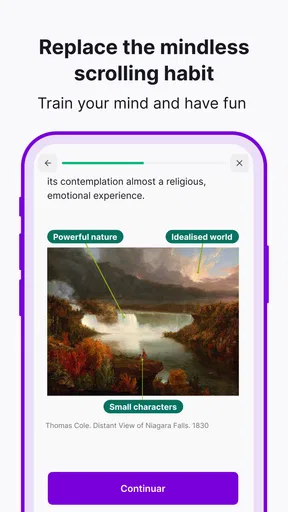
If you’ve ever felt like you’re just scrolling mindlessly on your phone, Nibble is a refreshing change. It’s educational yet entertaining, and it makes great use of those little pockets of time we all have throughout the day. Plus, with its personalized content delivery, you’re guaranteed to find something that piques your interest.
As an education app from KREMITAL LIMITED, Nibble is free to install, with in-app purchases priced from $6.99 to $89.99 per item. I’d treat the free starting point as a way to see whether the short lessons suit my habits before considering any optional spending. Its average rating is 4.5 from around 21,000 ratings, and it has passed one million installs, so it has found a sizable audience; those figures are useful context, though they cannot tell me whether its style will suit my own learning needs.
The app was released on May 13, 2025, and its current version is 1.3.7.1. It requires Android 8.0 or later and carries an Everyone age rating. For a household, that broad rating is reassuring as a starting point, but I would still decide who gets access to the shared device and whether younger users need an adult nearby. A rating cannot tell you whether short quizzes fit a child’s learning style or whether a device’s wider content is appropriate.
Whether you’re a trivia buff, a lifelong learner, or just someone who enjoys a good factoid, this app is a must-try. So why not download it and give your brain a tasty treat? You might just find yourself hooked on these little bites of knowledge.
Pros
- Engaging daily trivia challenges.
- User-friendly and intuitive interface.
- Wide variety of topics covered.
- Regular updates with new content.
- Social features enhance interaction.
Cons
- Limited offline functionality.
- Ads can be intrusive at times.
- Requires constant internet connection.
- Some topics lack depth.
- Occasional app crashes reported.
FAQs for Nibble: Daily Learning & Quiz
What is Nibble: Your Bite of Knowledge?
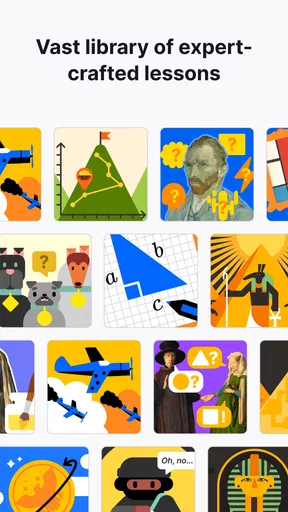
Nibble is an educational app designed to provide users with quick, digestible snippets of information across various topics. It aims to enhance learning by breaking down complex subjects into easy-to-understand bites, perfect for users looking to expand their knowledge in a convenient, on-the-go format.
How does Nibble ensure the accuracy of its content?
Nibble collaborates with experts and educators to curate and verify the information presented. Each topic is meticulously researched, and the app is regularly updated to ensure that users receive accurate and current knowledge. This commitment to quality makes it a reliable resource for learners.
Is Nibble suitable for all age groups?
Yes, Nibble is designed to cater to a wide audience, from young learners to adults. The app offers content across various difficulty levels and subjects, making it accessible and engaging for users of different ages and educational backgrounds. Parents and educators can also use it as a supplementary learning tool.
Does Nibble require an internet connection?
While an internet connection is necessary to download the app and access new content updates, Nibble allows users to save topics for offline reading. This feature is particularly useful for users who wish to learn on the go without the need for constant internet access.
Are there any in-app purchases or subscriptions?
Nibble offers a free version with limited access to content. However, for an enhanced experience, users can opt for a subscription that unlocks the full library of topics, additional features, and an ad-free interface. This premium option supports continuous app development and content expansion.


